

MiniMax クライアント
MiniMax は異なる 2 つのコマンドライン製品を提供しています。OpenCodex は、それぞれが実際に公開するプロトコル境界で統合します。
- MiniMax Code(
mcode)は、カスタム Anthropic Messages プロバイダーに対応したコーディングエージェントです。 - MiniMax CLI(
mmx)はマルチモーダルなプラットフォーム CLI です。OpenCodex がルーティングできる Anthropic 互換 API を使うのは、そのtextリソースだけです。
MiniMax Code
Section titled “MiniMax Code”まず MiniMax の案内に従って MiniMax Code をインストールし、サインインしてください。次に OpenCodex を起動し、元に戻せるファイル統合を接続します。
ocx startocx integration client enable --client mcodeocx mcode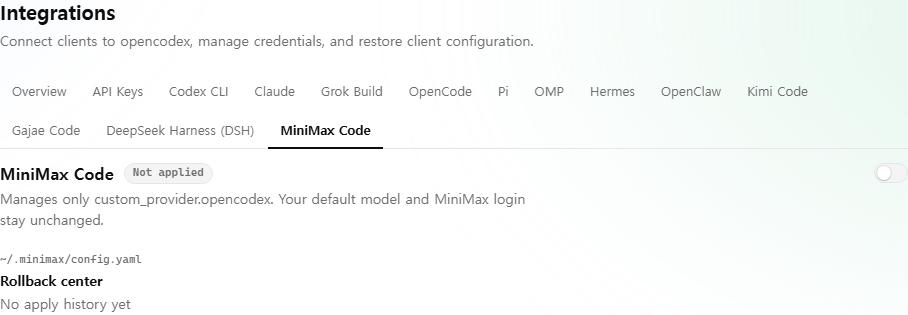
この統合は ~/.minimax/config.yaml に 1 つのブロックをマージします。
custom_provider: opencodex: name: OpenCodex kind: custom enabled: true api: anthropic-messages options: apiKey: opencodex-loopback baseURL: http://127.0.0.1:10100 authMode: api-key models: anthropic/claude-opus-5: limit: context: 1000000実際に生成されるモデル一覧、判明しているコンテキストウィンドウ、推論負荷の段階は、稼働中の OpenCodex カタログから取得します。信頼できるコンテキストウィンドウや推論負荷の段階がないモデルには、推測値を設定せず、その項目を省略します。MCode は現在選択中の負荷をセッション内に保持するため、OpenCodex はその選択を上書きせずに effortOptions を出力します。このブロックは実際のキーを書き込まず、defaultModel を置き換えず、MiniMax のログインも変更しません。MCode では custom_provider:opencodex/... の下からモデルを選びます。
ocx mcode はクライアント起動前に、このプロバイダーが現在稼働中のプロキシを指していることを確認します。一度有効にした後は、ポートやカタログの機能が変わると ocx sync が所有ブロックを更新します。自動同期は所有していないブロックを新規作成せず、削除したブロックを再作成せず、OpenCodex の書き込み後に変更されたファイルも上書きしません。意図して再接続する場合は enable コマンドを使ってください。同じ監査可能な統合システムで無効化または復元できます。
ocx integration client disable --client mcodeocx integration client history --client mcodeocx integration client restore --op <opId> [--confirm-drift]MINIMAX_DATA_DIR と旧式の MAVIS_DATA_DIR はどちらも尊重されます。OpenCodex と MCode が異なる作業ディレクトリで起動する可能性があるため、相対パスによる上書きは拒否されます。
MiniMax CLI (mmx)
Section titled “MiniMax CLI (mmx)”公式 CLI は別途インストールします。
npm install -g mmx-climmx --versionラッパーと OpenCodex のモデル ID を使ってテキストコマンドをルーティングします。
ocx mmx text chat \  --model anthropic/claude-opus-5 \  --message "Explain this function"
ocx mmx --output json text chat \  --model openai/gpt-5.6-sol \  --message "Return a JSON summary"
MMX は API ベース URL の下に /anthropic/v1/messages を固定して使います。ラッパーは子プロセスの実行中だけ一時的なループバックブリッジを起動します。ブリッジは、その Messages パスと /anthropic/v1/messages/count_tokens への POST のみを受け付け、リクエスト本文とクエリを維持しながら、OpenCodex の既存の /v1/messages と /v1/messages/count_tokens データプレーンへ対応付けます。OpenCodex の正規のリクエスト変換、使用量計上、設定済みの下流プロバイダー認証は引き続き適用されます。プロバイダーには設定に応じて x-api-key またはベアラー認証が送られます。ストリーミングでは Anthropic のメッセージとコンテンツイベントを維持します。転送前に、ブリッジは受信した受け入れ用認証ヘッダーを除去し、公開用の opencodex-loopback プレースホルダーを固定します。任意の Anthropic リソースはプロキシせず、ブリッジをループバック外へ公開することもありません。
ラッパーはプレースホルダーだけを含む一時的な MMX_CONFIG_DIR も作成し、mmx の終了後に削除します。~/.mmx/config.json、OAuth トークン、MiniMax API キーは読み込まず、コピーもしません。
次の制限は意図的なものです。
- OpenCodex 経由でルーティングするのは
text chatとtext replのみです。 --api-key、--base-url、--regionはラッパーが拒否します。呼び出し元の認証情報や接続先指定が独立したブリッジと衝突しないためです。- MMX はリモートバインドに必要な OpenCodex 専用の
x-opencodex-api-key受け入れヘッダーを送れないため、ラッパーはループバック専用です。 image、video、speech、music、vision、search、quota、auth、config、file、updateには通常のmmxを実行してください。これらは OpenCodex が模倣しない MiniMax 固有の API を呼びます。
mmx のテキストモデルのデフォルトは MiniMax-M3 です。特定の OpenCodex ルートを使う場合は --model <provider/model> を渡します。指定しない場合は、通常の OpenCodex モデルルーティング規則によってデフォルト ID の利用可否が決まります。